How to Import Dummy Content
I assume you already have a fresh copy of WordPress installed on your server with the theme installed on it. Install All The required plugins provided with the theme, before starting dummy content import.

Server requirements for installing dummy content.
upload_max_filesize = 128M
max_input_time = -1
post_max_size = 128M
max_input_vars = 8000
max_execution_time = 200
A step by step guide to install dummy content
1) After installing and acticating the plugins You will be automatically redirected to run the LearnPress Quick Setup Wizard. Click on Let's go button and follow the steps to complete the wizard.
2) Install the Unyson Extensions
Note: If you don't see the compatible extensions page automatically you can also have it by clicking on Unyson tab in the WordPress Dashboard.

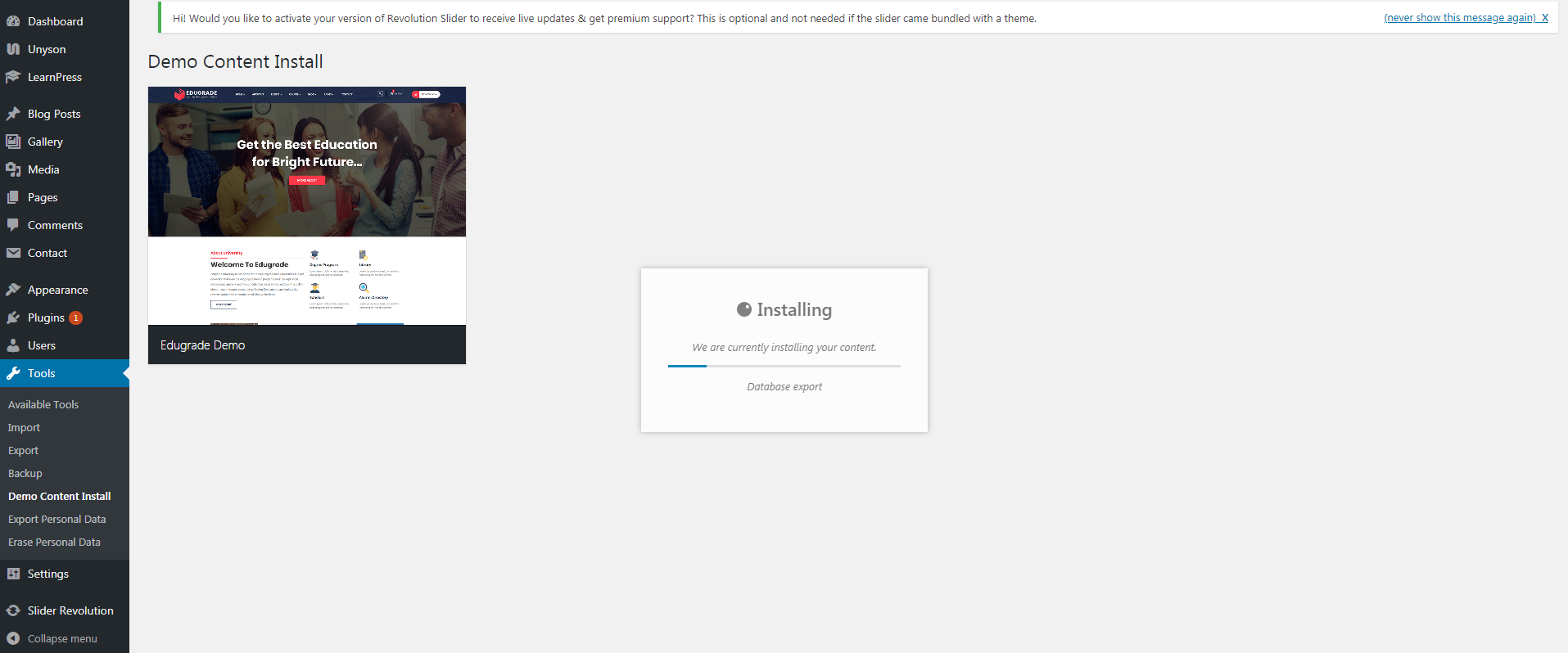
2) Click on Dashboard > Tools > Demo Content Install. You will see an Option of Demo Install. Click on the Install button(Fullwidth or Boxed) and wait for dummy content to setup. Almost 3-4 minutes depends on your network speed.

3) On successful Import it will redirect you to the homepage automatically. Cheers!
If you are having any issue in importing the demo content, you can read more details from Unyson Page for importing demo. Here is the link:
How to Install the Demo Content